
Handling Student Revaluation Appeals
Reviewing challenged questions at the Revaluation Desk, revising marks, and generating updated stamped papers.
1Open the Revaluation Desk
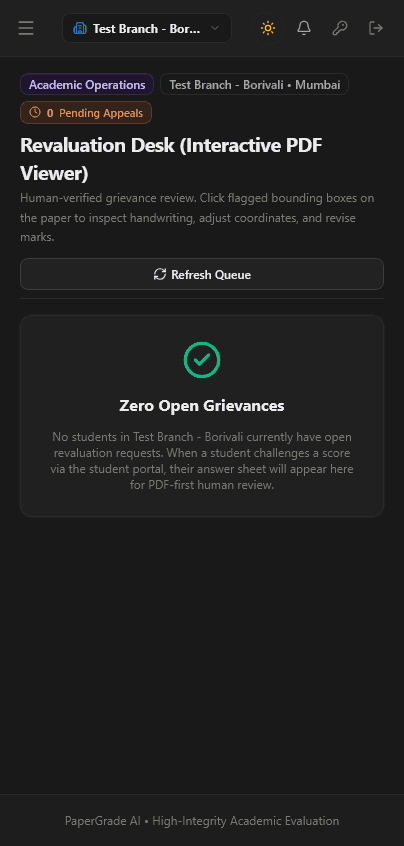
Click 'Revaluation Desk' in the left menu. Filter requests by 'Pending' or 'Resolved'. When all student appeals are handled, the screen displays 'Zero Open Grievances'.
2Inspect the Appeal
Click [ Inspect Appeal ] on any pending student row. The student's paper loads zoomed directly onto the challenged question.
3Decide the Outcome
Read the student's justification alongside the rubric. If the original score was correct, click [ Maintain Original Marks ] and leave a brief teacher note. If the student made a valid point, click [ Revise Marks ], enter the updated score, and explain the change. Click [ Confirm Resolution ].
4Automatic Paper Re-stamping
The system automatically recalculates the student's total score, updates the class rankings, and re-stamps the annotated paper within seconds.