
D-01Director
3 min read
Multi-Branch Academic Performance Overview
Viewing aggregated student performance, comparing branches, and tracking distinction brackets.
Directors have complete cross-branch visibility to monitor student enrollment, active exams, and academic performance distribution across all centers.
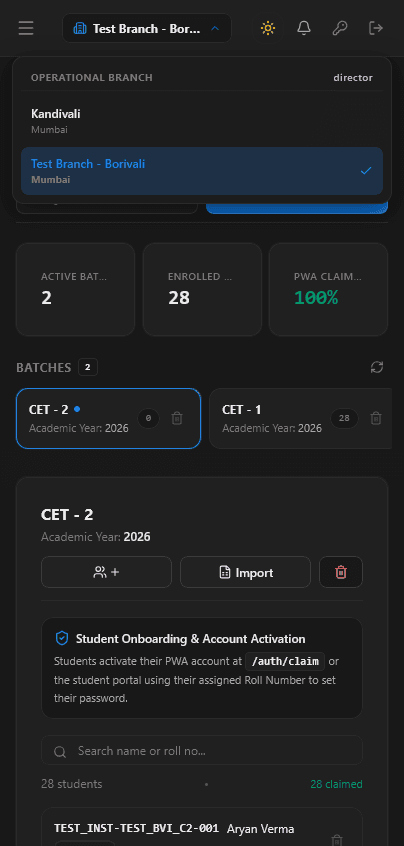
1Switch Between Branches
Use the Operational Branch dropdown in the top header to toggle between viewing the entire institute or isolating a specific branch (e.g. Test Branch - Borivali vs Kandivali).
Click to zoom
2Track Academic Brackets
The dashboard classifies student performance into three standard academic tiers: Distinction (students scoring 75% or above), Average (students scoring 40% to 74%), and Needs Help (students scoring below 40%).
3Compare Batch Trajectories
Review exam participation rates and average score distributions across subjects to identify batches needing additional classroom support.