
AI Batch Evaluation, Flagged Papers & Manual Overrides
Running batch evaluation, clearing papers flagged for teacher review, and editing question marks.
1The Daytime vs Overnight Evaluation Rule
Live exam submissions and portal browsing take place during the day. AI grading is scheduled after exam hours (overnight batch processing). This ensures 100% of server speed is dedicated to student uploads with zero lag.
2Start Batch Evaluation
Once the submission window has closed and exam hours are finished, click [ Start Evaluation ]. The evaluation queue processes all submitted answer sheets against the approved rubric.
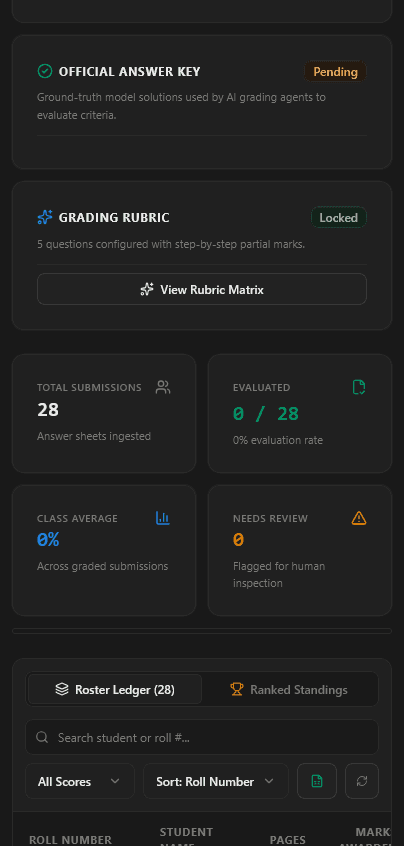
3Inspect Flagged Papers ('Needs Review')
If a student's handwriting is partially obscured, or if an unusual solution method was used, the system flags the paper as '● Needs Review' (amber badge). Click [ Review Paper ] to inspect the flagged page.
4Make Audited Manual Overrides
If you wish to adjust marks for any question, click [ Edit Marks ]. Enter the new score and write a brief teacher note (e.g. 'Alternative trigonometric identity accepted per board syllabus'). The paper total recalculates automatically.